 SON OF SATOSHI™
What it is
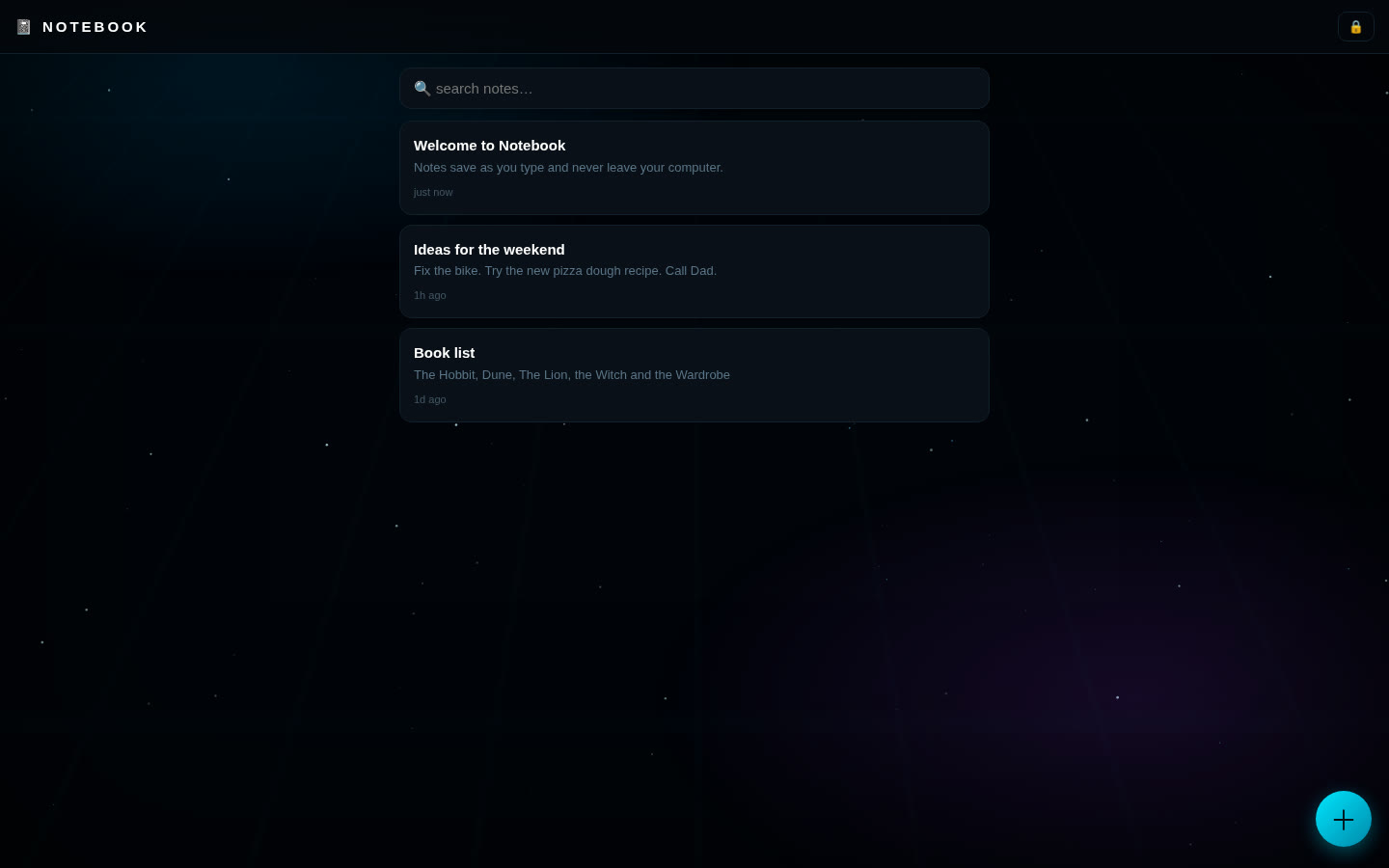
A simple, fast note-taking page that runs in your browser from your own computer. Write, search and edit notes; they save automatically as you type. No account, no cloud.
Features
- Create, edit and delete notes; autosaves while you type.
- Instant search across titles and text.
- Notes sorted by last edited, with "5m ago" style times.
- Backup file and restore (restore only adds what's missing).
- Animated sci-fi background that turns off if your system asks for reduced motion.
What you need
- Python 3 (any current version). It's only used as a tiny local web server; no extra packages.
- A modern browser: Chrome, Brave, Edge, Firefox or Safari.
- Tested on Linux. Windows and macOS start scripts are included.
How to install
- Download the zip below, check its SHA-256 and unzip it.
- Open the
notebook-1.0.0folder. - Windows: double-click
run.bat. Mac/Linux: run./run.shin a terminal in that folder. - Open
http://127.0.0.1:8101in your browser. Press Ctrl+C in the terminal to stop it.
Where your data is stored
Saved in your browser's local storage for http://127.0.0.1:8101 on your own computer. Nothing is uploaded. If you clear browser data, switch browsers or change the port, the app starts empty.
Outside sites it contacts
- None. Notebook makes no internet requests.
Good to know
- Not encrypted. Notes are stored as plain text in the browser; anyone with access to your browser profile can read them. Keep passwords and secrets in Vault instead.
- Make backups with ⬇ Backup (a readable, unencrypted file). Clearing browser data without one deletes your notes.
- No sync between devices.