 SON OF SATOSHI™
What it is
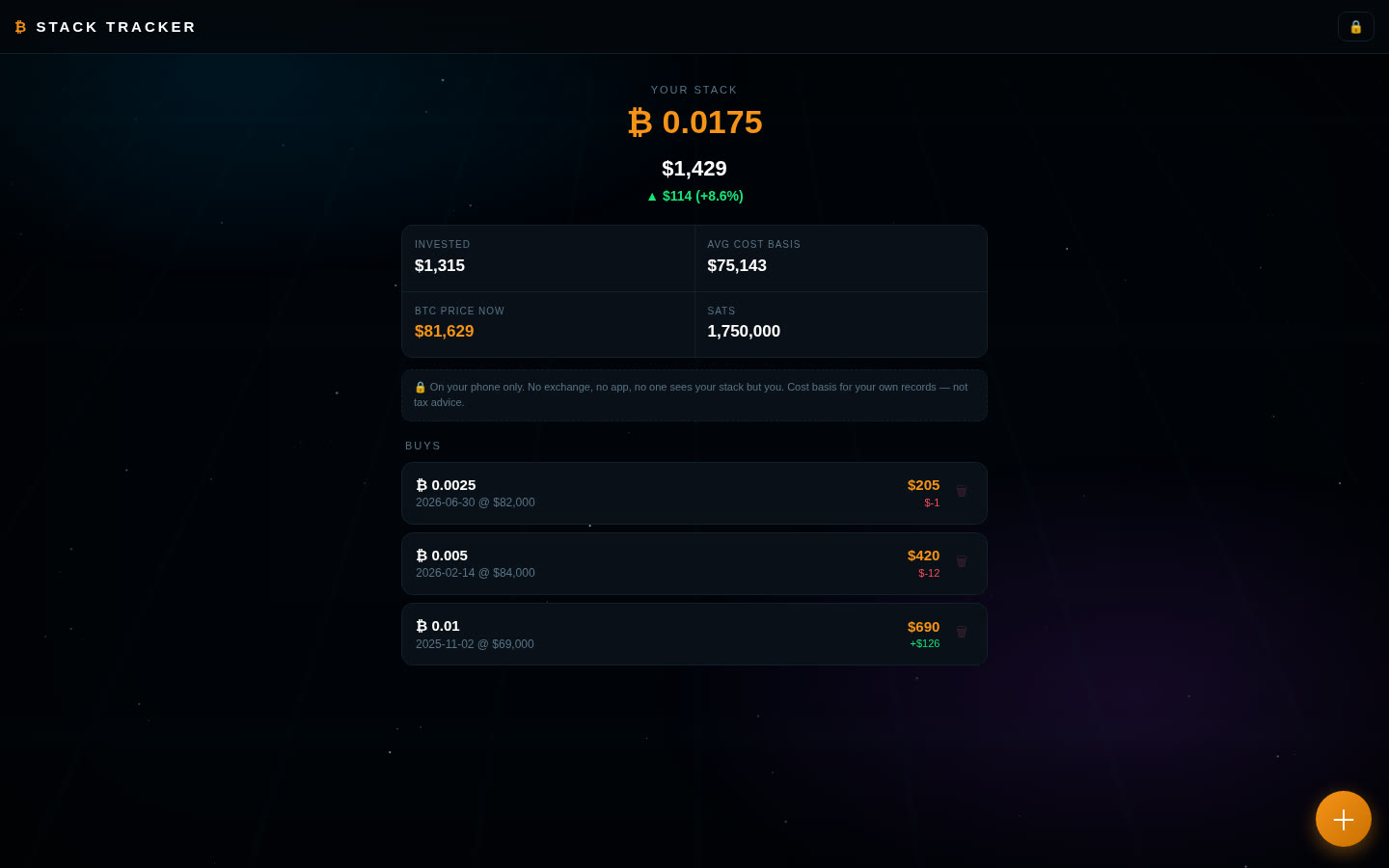
A private log of your Bitcoin buys that runs in your browser. Enter the date, how much BTC you bought and what you paid, and it shows your total stack, what you've invested, your average cost basis and your profit or loss at today's price.
Features
- Log, edit and delete buys (date, BTC amount, total paid in USD including fees).
- Totals: stack in BTC and sats, total invested, average cost basis.
- Live value and profit/loss in dollars and percent.
- Your buys stay in your browser.
- Backup file and restore (restore only adds what's missing).
What you need
- Python 3 (any current version). It's only used as a tiny local web server; no extra packages.
- A modern browser: Chrome, Brave, Edge, Firefox or Safari.
- Tested on Linux. Windows and macOS start scripts are included.
How to install
- Download the zip below, check its SHA-256 and unzip it.
- Open the
stack-tracker-1.0.0folder. - Windows: double-click
run.bat. Mac/Linux: run./run.shin a terminal in that folder. - Open
http://127.0.0.1:8114in your browser. Press Ctrl+C in the terminal to stop it.
Where your data is stored
Saved in your browser's local storage for http://127.0.0.1:8114 on your own computer. Nothing is uploaded. If you clear browser data, switch browsers or change the port, the app starts empty.
Outside sites it contacts
- mempool.space (HTTPS) to get the current BTC price when the app opens. Your buys are not sent anywhere. mempool.space can see your IP address, like any website you visit.
Good to know
- Not encrypted. Buys are stored as plain text in the browser.
- USD only.
- Make backups with ⬇ Backup (a readable, unencrypted file). Clearing browser data without one deletes your log.